
How do I join my counseling session?
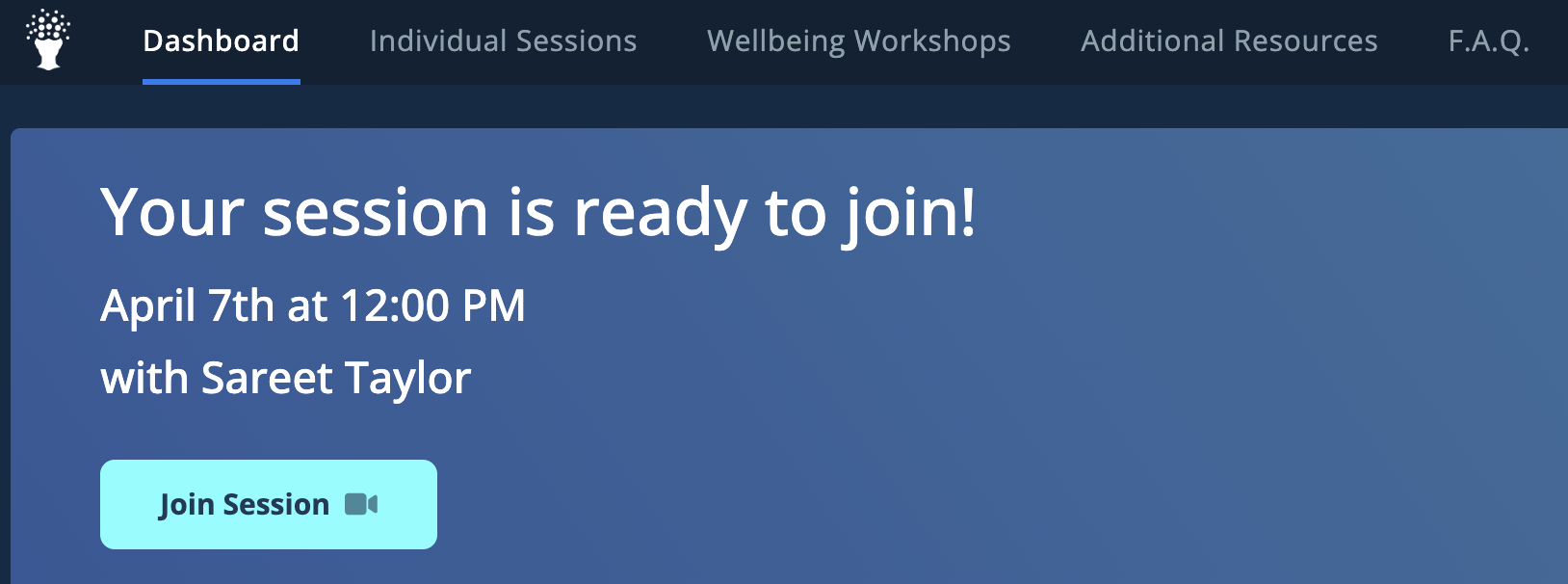
You can join your BetterMynd counseling session directly through your BetterMynd account beginning 15 minutes before your scheduled session time.
Important to know before your session:
- BetterMynd sessions are conducted through Zoom.
- You will not receive a Zoom link by email.
- The Join Session button will only appear 15 minutes before your session starts.
If you do not see the button before then, this is expected.
To join your session:
- Login to your BetterMynd account.
- Click the "Join Session" button that is at the top of the page right under the menu options.
- Your counselor will join at the scheduled start time.
*Note: We ask that students and counselors both give each other a 15 minute grace period to join their sessions. If your counselor has not joined by 15 minutes into the session start time, please contact Student Support.
Don't see the Join Session button?
If your session starts in less than 15 minutes or if it is within the 50 minute time frame of your scheduled session and the button does not appear:
- Refresh your browser page.
- Try logging out and back into your account.
- Make sure you are viewing the correct upcoming appointment (ensuring it has not been rescheduled or that you don't happen to have multiple accounts and are logged into the incorrect one).
Still having trouble?
If you continue experiencing issues accessing your session, please contact support at support@bettermynd.com.